AIOSEO and Bricksforge security updates: is your site affected?
Published 17 Oct 2026
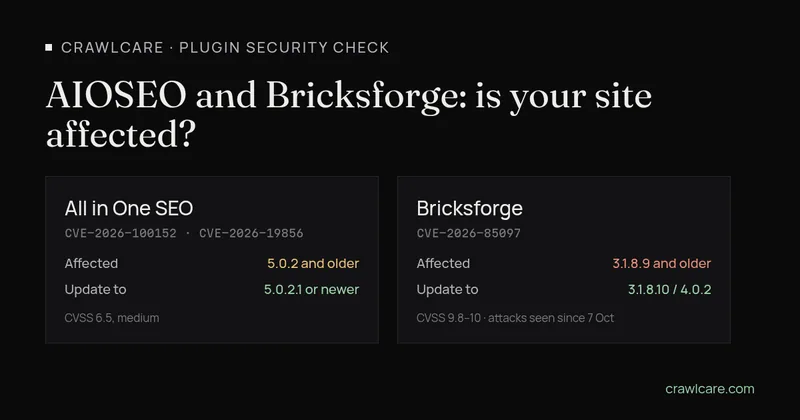
Two WordPress plugins had security fixes published in early October 2026: All in One SEO (AIOSEO) and Bricksforge, the add-on for the Bricks builder. If you run either one, check your version. It takes about a minute. Here's what's affected, what to update to, and what to do if you can't update yet.
Short version: AIOSEO 5.0.2 and older needs 5.0.2.1 or newer. Bricksforge 3.1.8.9 and older needs 3.1.8.10 or newer, and on the 4.x line the latest is 4.0.2. Attackers are already trying the Bricksforge flaw, so do that one first.
What's affected
All in One SEO: two shortcode flaws, fixed in 5.0.2.1
- CVE-2026-100152 (Wordfence, CVSS 6.5, medium). Affects all versions up to and including 5.0.2. Someone who isn't logged in can make your site run shortcodes through the search box. According to the CVE record, this only works when the AIOSEO breadcrumb shows on the search results page (via the block, widget, shortcode or template tag). Published 3 October 2026.
- CVE-2026-19856 (WPScan, CVSS 6.5, medium). Affects versions before 5.0.2.1. It's the same kind of problem: the plugin didn't correctly work out which shortcodes to strip from user input. The record notes that on sites upgraded from older versions, the protection was switched off entirely. Published 2 October 2026.
The AIOSEO changelog on WordPress.org lists 5.0.2.1 with "Improved security protections for shortcodes on search pages". The current release is 5.0.3, so an up-to-date install is already past both.
How bad is a shortcode flaw? It depends on which shortcodes your other plugins register. That's why it rates medium and not critical. It's still worth closing.
Bricksforge: file upload flaw, attacks seen since 7 October
- CVE-2026-85097. Affects Bricksforge versions up to and including 3.1.8.9. Someone who isn't logged in can upload a PHP file through a Pro Forms form submission and then run it. That means full control of the site.
- Severity. Wordfence, which published the CVE on 8 October 2026, scores it CVSS 9.8 (critical). Patchstack rates it 10.0.
- Exploitation. Patchstack reported on 8 October 2026 that the flaw is being targeted in the wild. It saw the first attempts on 7 October 2026 at 21:47 UTC (23:47 in South Africa).
- Fix. The Bricksforge changelog says it was fixed in 3.1.8.10 and in 4.0.0. Version 4.0.1 (8 October) fixed a related Pro Forms upload issue that "affects every site with Pro Forms active, including sites whose forms use no upload fields". Version 4.0.2 (13 October) added more hardening across the REST endpoints.
How to check your plugin version in wp-admin
- Log in to WordPress and go to Plugins > Installed Plugins.
- Find All in One SEO and Bricksforge in the list. The version number sits under each plugin's description, for example "Version 5.0.3".
- Compare it with the numbers below. If an update is waiting, WordPress shows a yellow "There is a new version" notice right there.
Neither plugin in your list? You're not affected by these two. Close the tab and get on with your day.
What to update to
- All in One SEO: 5.0.2.1 or newer. The latest on WordPress.org is 5.0.3.
- Bricksforge: 3.1.8.10 or newer if you're on the 3.x line. On 4.x, go to 4.0.2, which is the latest and includes the 4.0.1 upload fix.
Take a backup first, update, then click through your forms and a search results page to check nothing broke. Bricksforge is a paid plugin, so updates need an active licence. If the update button isn't there, check the licence under the Bricksforge settings or download the new version from your Bricksforge account.
If you can't update yet
- Bricksforge: deactivate the plugin until you can update. The flaw sits in Pro Forms, and the vendor says the 4.0.1 issue affects every site with Pro Forms active, so turning off just the upload fields isn't enough. If you use a web application firewall, check that your vendor has a rule for CVE-2026-85097. Patchstack says it has one.
- AIOSEO: the CVE-2026-100152 record says the breadcrumb has to be on the search results page, so taking the AIOSEO breadcrumb off your search template helps with that one. CVE-2026-19856 has no such condition, so updating is the real fix. Updating a free plugin from WordPress.org is usually quicker than the workaround.
Signs you were already hit
If Bricksforge sat on 3.1.8.9 or older after 7 October, check the site properly, even after you update. Updating closes the hole. It doesn't remove anything that came through it. Look for:
- PHP files in
wp-content/uploads, where only images and documents should live; - admin users you don't recognise under Users;
- strange form submissions or files you didn't upload.
Our guide to spotting a hacked WordPress site walks through the full check and clean-up.
Can the free scan tell me?
Partly. The free CrawlCare scan looks at your public pages, so it can often spot that All in One SEO or the Bricks builder is in use, but it can't see plugin version numbers, and it doesn't check for Bricksforge. Use the wp-admin check above for the version. Then run the scan for everything else it covers: speed, SEO basics, HTTPS and the tech it can identify. If something looks off and you'd rather someone else dealt with it, see our services.
Sources
- CVE-2026-100152 record (published by Wordfence, 3 Oct 2026) and the Wordfence entry
- CVE-2026-19856 record (published by WPScan, 2 Oct 2026) and the WPScan entry
- All in One SEO changelog on WordPress.org (5.0.2.1 entry; 5.0.3 current, checked 17 Oct 2026)
- CVE-2026-85097 on NVD (published 8 Oct 2026, CVSS 9.8 from Wordfence)
- Patchstack: Bricksforge flaw exploited (8 Oct 2026, CVSS 10.0, first attempts 7 Oct 21:47 UTC)
- Bricksforge changelog (3.1.8.10, 4.0.0, 4.0.1 on 8 Oct 2026 and 4.0.2 on 13 Oct 2026)