Speed or security
Slow site or hacked? How to tell
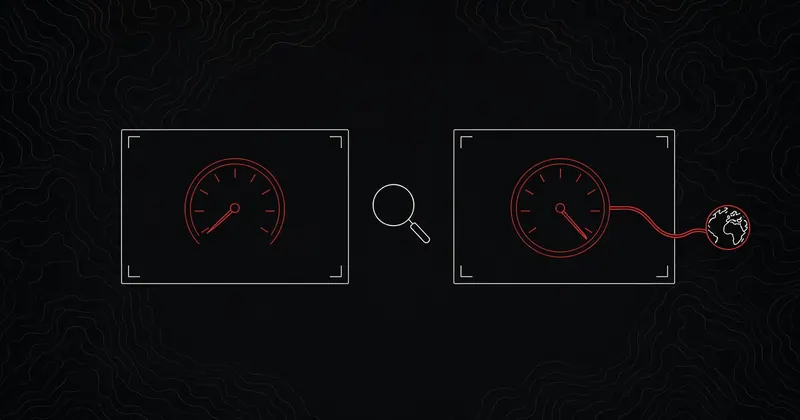
Most slow WordPress sites are just slow, usually because of a heavy theme, a pile of plugins or underpowered hosting. Some hacks, though, show up first as slowness, and if you treat one as a speed problem you can spend days tuning a site that's working for someone else.
A developer posted about exactly this on X in October: fixing a client's slow site, "PageSpeed blamed a 2.6s 'intro animation.' It wasn't an animation. It was malware hiding the page while it loaded a script from attacker domains."
These checks help you sort one from the other.
01
Signs that point to a performance problem
The slowness is steady and has an obvious trigger. It started after a new plugin, a theme change, a traffic spike or a move to a new host. Every page is slow in a similar way, logged in or not. Speed test reports name things you recognise, like large images, your own theme's scripts or a slow first byte from your server. The WordPress optimization guide covers the usual fixes.
If that matches what you see, and none of the signs below show up, treat it as a speed problem.
02
Signs that point to a compromise
The WordPress FAQ My site was hacked calls these Indicators of Compromise. Its list includes a site blacklisted by Google or Bing, a host disabling the site, malware flags, and behaviour nobody authorised, such as new users being created. Here's how to check the ones that also look like slowness.
Admin users you don't recognise
Go to Users and filter by Administrator. With WP-CLI:
wp user list --role=administrator --fields=ID,user_login,user_email,user_registeredThe user_registered field in the user list command shows when each account was created. An admin you didn't create, especially one registered recently, is a strong sign. Don't delete it yet. Note the date first, since it tells you when the break in may have happened.
Scripts from domains you don't know
Open your site in a private window, press F12 and watch the Network tab while the page loads. Look at the domains. Your own, your CDN and services you added (analytics, fonts, a chat widget) are expected. A script from a domain you can't explain, especially one that loads before anything else, needs a closer look. So does a speed report blaming a slow script or a full screen overlay you never added.
Redirects only some visitors see
Some malware sends only mobile visitors, or only people arriving from Google, to another site. You won't see it when you type your address in. Search Google for your site, then click through on a phone using mobile data. If you land somewhere else, the site is compromised.
Spam pages in Google
Search site:yourdomain.com and scroll. Pages about pills, casinos or replica goods, or pages in a language you don't use, mean someone is publishing on your domain. Generating those pages can also load your server. Google Search Console's Security Issues and Pages reports show more.
High CPU or outbound traffic you can't explain
Your host's dashboard or a resource warning may show CPU, memory or bandwidth far above normal without a matching rise in visitors. Check your access logs for the busiest URLs. Heavy hits on one odd PHP file, or on wp-login.php and xmlrpc.php, point to an attack or something running on the server. The WordPress guide on brute force attacks explains how login floods slow sites down even when they fail. Hosts sometimes report a site sending spam email or attacking other sites, which the hacked FAQ also lists.
Modified core files
WP-CLI can compare every core file against the official checksums for your version:
wp core verify-checksums
wp plugin verify-checksums --all
The core and plugin commands report files that differ or shouldn't be there. A clean core never needs edits, so any mismatch in wp-admin or wp-includes deserves attention. Plugins not hosted on wordpress.org can't be checked this way.
Files that don't belong
Look in wp-content/uploads/ for .php files, which normally have no reason to be there. Check wp-content/mu-plugins/ for anything you didn't install, since those load on every request and don't appear on the normal Plugins screen.
03
If it looks like a hack
Speed fixes can wait. Back up the site as it is, so you keep the evidence. Change your hosting, database and admin passwords from a clean device. Then follow the steps in the hacked FAQ, or read our guide to is my WordPress site hacked?. Cleaning files without closing the way in usually means the hack comes back.
04
Sources
Free scan
Not sure which one you have?
A free CrawlCare scan checks your site from the outside and shows how your pages respond. You can also check every page for redirects and errors, or open the chat and describe what you're seeing.
Talk to us