Free website malware checks compared: CrawlCare, Sucuri SiteCheck, VirusTotal
Published 28 Oct 2026
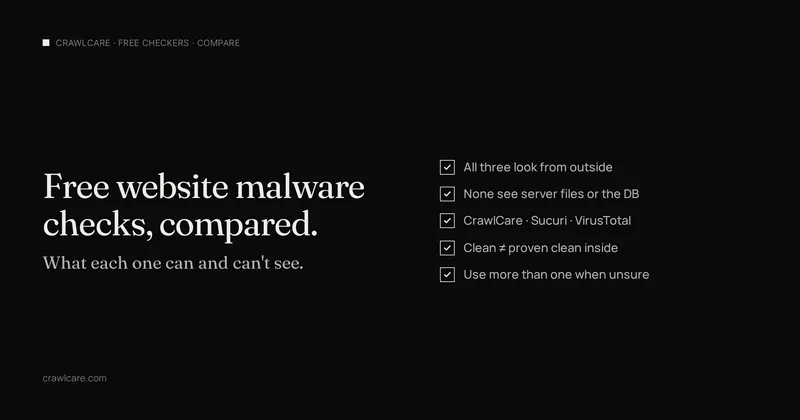
None of the free checkers can see inside your server. CrawlCare, Sucuri SiteCheck and VirusTotal each look from outside differently.
People paste a URL into a free "is my site hacked" box and treat a green result as proof. That is more than any of these tools claim. All three are remote. They request pages or reputation data the way a visitor or a blocklist would. None of them open your hosting panel, read your database, or walk every file on disk. CrawlCare's free scan and PHP2Shell check are remote-only too. A green result is not an all-clear for the server.
This page is a straight comparison of what each free tool is good for, what it misses, and what to do when every outside check looks clean but Google still warns you. No ratings. No "best of" list. Sources were checked on 28 October 2026.
Want a quick outside pass on your own site first? Jump to the free scan.
What each free checker looks at
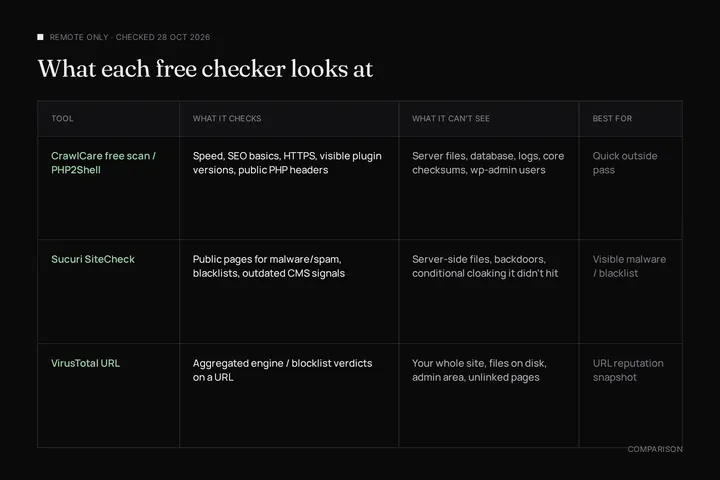
| Tool | What it checks | What it can't see | Best for |
|---|---|---|---|
| CrawlCare free scan / PHP2Shell check | Speed and SEO basics. HTTPS and mixed content. Plugin versions the public HTML gives away. The PHP version your server announces when it announces one | Server files, the database, logs, WordPress core checksums, wp-admin users, host patches that keep an old version string | A fast outside pass plus a public PHP header read |
| Sucuri SiteCheck | Public pages for known malware, viruses, malicious code and spam signals. Blacklist status with Google, PhishTank and others. Out-of-date CMS or plugin signals. Website errors and some config anomalies | Server-side files, backdoors, phishing pages that never render for its visit, conditional malware that only shows to Googlebot, certain IPs, or once per day | Visible malware or blacklist hits from outside |
| VirusTotal URL scan | Reputation of a single URL across many antivirus / URL scanners and blocklisting services (VirusTotal documents 70+). Each engine's verdict plus HTTP response metadata | Your whole site, files on disk, the admin area, pages that aren't the URL you submitted, cloaked spam that never hits the fetched response | A multi-engine / blocklist snapshot of one URL |
Sucuri's own SiteCheck page is blunt. Remote scanners have limited access and results are not guaranteed. The free scanner only sees what is visible at the browser level. Sucuri's plugin docs say the same: SiteCheck cannot access source files, and a clean frontend does not prove the server is clean. VirusTotal's docs describe URL scanning as an aggregation of partner scanners and blocklists on the submitted URL, not a full-site audit. CrawlCare's free tools match that limit. We only see what the homepage (and a few linked checks) show from outside.
SiteCheck also compares behaviour across user agents (see Sucuri's write-up of how SiteCheck works). That helps catch some cloaking. It still does not turn a remote visit into a server audit.
Blind spots shared by all three
A clean result from every free checker still leaves gaps:
- Cloaked spam shown only to Googlebot, only on mobile, only with a Google referrer, or only once per IP
- Backdoors and webshells in uploads or under odd paths that no public page links to
- Rogue admin accounts and stolen credentials
- Database injections (spam posts, option rows, redirects stored in the DB)
- Files not linked from any page the scanner visits
- Host-level patches that keep an old PHP version string (relevant for PHP2Shell checks)
Sucuri has written about conditional malware for years. Google's Security issues help also warns that Safe Browsing warnings depend on browsing context, so owners may not reproduce what a visitor sees. Treat Search Console → Security issues as the owner-facing source of truth when Google is involved.
When every free check says clean but Google still warns
Google's "This site may be hacked" label, the red "Deceptive site ahead" interstitial and Search Console Security issues are different surfaces. They share a cleanup path. An outside scanner can miss cloaked spam that Google already indexed. Follow Google says "This site may be hacked". Open Security issues, clean every listed URL and the entry point, then Request a review. Fixing only some pages is not enough. Google says so in the Security issues help.
Inside checks the free tools cannot replace
Do these on the server / in wp-admin even after the free tools look green:
- Search Console → Security & Manual Actions → Security issues. Green check or listed categories and sample URLs
site:yourdomain.com. Titles and URLs you never wrote- WordPress admin user list. Unknown administrators
- Core / plugin / theme checksums. Replace from clean sources if anything is modified (
wp core verify-checksumswhen you use WP-CLI) - Uploads folder. Unexpected PHP under
wp-content/uploads
Full walkthrough: Is my WordPress site hacked?
Soft next step
Still want an outside look? Run the free CrawlCare scan. It will not clear a Google flag and it will not prove the server is clean. It will show speed, SEO basics, HTTPS and the plugin versions the public page gives away.
If you already confirmed a compromise (spam in Search Console, unknown admins, malware on disk), Hack Rescue (US$279 / R4,990) is the clean-up job. Backup first, remove the malware, restore a clean copy, and close the hole they came in through. Prices in other currencies are on the pricing page, or you can book Hack Rescue here.
Quick answers
Are free malware checkers enough to prove my site is clean?
No. They look from outside. A green result means that tool did not see a match on what it could reach. Server files, the database and cloaked spam can still be dirty.
Is CrawlCare's free scan a server-side malware scan?
No. It is remote-only, same class as Sucuri SiteCheck and a VirusTotal URL check. We do not get file or database access from the free form.
Should I run more than one free checker?
Yes when something feels off. They emphasise different signals (page malware vs URL reputation vs speed / plugin versions). Overlap is useful. Agreement is not proof.
What if Sucuri / VirusTotal are clean but Google still shows a hacked warning?
Trust Search Console Security issues over a single outside scan. Clean the site, then request a review. See the Google warning guide linked above.
When do I need a paid clean-up instead of another free scan?
When you have confirmed compromise. Security issues listings, unknown admins, malware on disk, or reinfection after a DIY wipe. Another remote scan will not remove what is already inside.
Sources
- Sucuri SiteCheck: free remote scanner disclaimer and browser-level limits (checked 28 Oct 2026)
- Sucuri Docs: Malware Scanning: SiteCheck is remote and cannot access source files (checked 28 Oct 2026)
- Sucuri blog: How Does SiteCheck Work?: visit pattern, user-agent comparison, server-side blind spots including conditional malware
- VirusTotal: How it works: 70+ scanners / blocklists and URL submissions (checked 28 Oct 2026)
- VirusTotal: Reports: URL report fields and verdict categories (checked 28 Oct 2026)
- Google Search Console Help: Security issues report: categories, fix-all-pages rule, review request (checked 28 Oct 2026)
Further reading
- Prime Mover CVE-2026-115806: check your version
- Duplicator CVE-2026-82814: are you affected?
- Google says "This site may be hacked": what it means and how to clear it
- LiteSpeed Cache 7.9.2: check for CVE-2026-113499 and friends
- Is my PHP version end of life? How to upgrade WordPress
- PHP2Shell: what PHP's emergency release means for your site
- Core Web Vitals assessment failed: what it means and how to pass
- UpdraftCentral hack: is your WordPress site affected?
- Rank Math PRO 3.0.123, Backuply and Everest Backup: is your site affected?
- AIOSEO and Bricksforge security updates: is your site affected?
- Why is my website slow?
- How to fix Core Web Vitals
- Why isn't my site showing on Google?
- How to check your website SEO for free: a 10-minute checklist
- Is your site slow because of the code or the distance? Hosting for South African sites
- Is my WordPress site hacked? A step-by-step check