Chrome says your WordPress sitemap uses XSLT. Your SEO is fine.
Published 2 Nov 2026
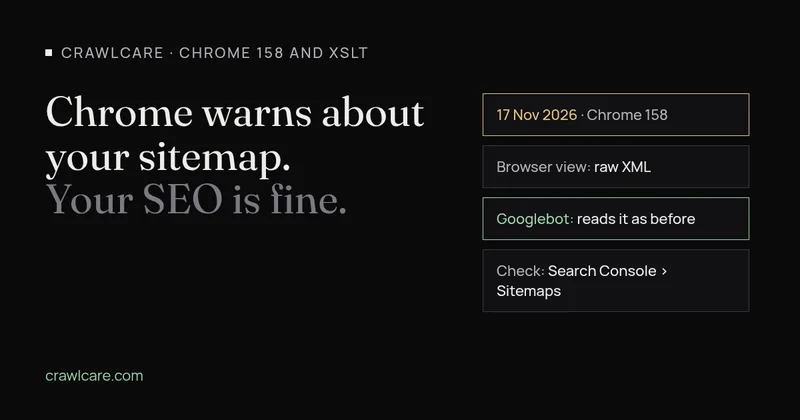
If you open your sitemap in Chrome right now, you may see a red box at the top:
This site uses XSLT; that functionality is being removed from this browser very soon. When that happens, this page will likely no longer display correctly.
People have been posting this on the Yoast and Rank Math support forums since October, worried their sitemap is broken. It isn't, and Google can still read it. Here's what the warning means and what, if anything, you need to do.
Want to know if your sitemap uses XSLT? Our free scan checks it, or skip to what to do.
Why the warning shows up
An XML sitemap is a plain list of your URLs, written for search engines. Read raw, it's a wall of tags. Yoast and Rank Math both attach a small stylesheet to the sitemap so that when a person opens it in a browser, it looks like a tidy table with links. That stylesheet is written in XSLT, an old language for turning XML into HTML.
Chrome is removing XSLT. Google's Chrome team says the code behind it (libxslt) is an old C/C++ library with a history of serious security bugs, and that only about 0.02% of page loads use XSLT at all. Firefox and Safari's engine have said they plan to remove it too.
So Chrome now warns on any page that uses XSLT, and your sitemap is one of those pages. The warning comes from Chrome. Yoast and Rank Math didn't add it, and it doesn't point to a fault on your site.
What changes on 17 November
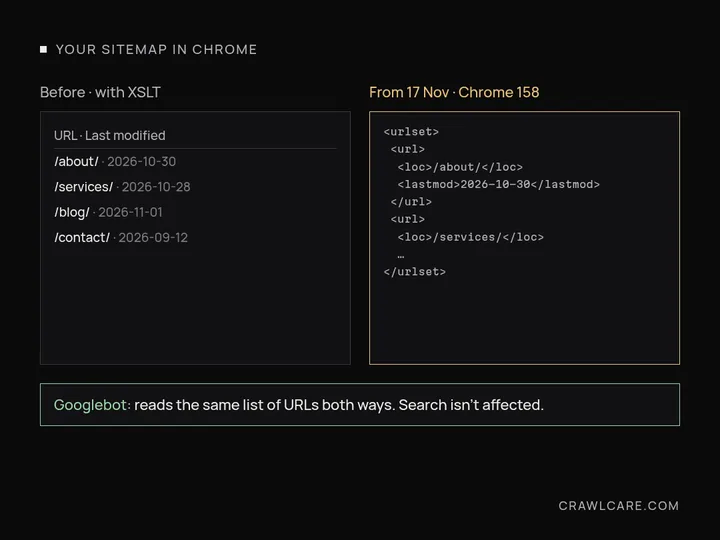
Chrome's published timeline says XSLT "stops functioning on Stable releases" in Chrome 158, due on 17 November 2026. From then on, opening your sitemap in Chrome gets you the raw XML instead of the styled table, along with a banner pointing to browser extensions that can restore the old view. Companies that set an Enterprise Policy, and sites in Chrome's Origin Trial, keep XSLT until Chrome 176 in August 2027. That won't apply to most small sites.
One thing you may read elsewhere: Chrome's first plan, from 2025, named a different version number. The Chrome page as it stands today says version 158 on 17 November. If an older article gives another version, that's why.
Other Chromium browsers, such as Edge, normally pick up changes like this, but I haven't found a dated announcement from Microsoft, so I won't give you a date for Edge.
Google still reads your sitemap
Search engines never used the stylesheet. Googlebot downloads the XML and reads the list of URLs. The styling only ever existed for people looking at the file in a browser.
Both plugin teams say the same thing on their own forums:
- Rank Math support, late October: the warning "does not indicate an issue with your sitemap or affect how search engines crawl and process it." If a browser stops supporting the stylesheet, "the sitemap will simply be shown as plain XML, and it will keep working for search engines." (thread)
- Yoast support, late October: a fix that "replaces the XSLT stylesheet of the XML sitemaps with a CSS one, so they keep rendering as a readable table" is coming in an upcoming release. (thread)
That's where the two plugins differ. Yoast has said it will switch to CSS styling. Rank Math says it has no announcement about replacing the stylesheet yet and will list any change in its changelog. As of 2 November I couldn't find a release from either plugin that drops XSLT.
I couldn't find a Google Search statement aimed at this warning specifically. The plugin answers match how sitemaps work, though: Chrome's change is about what a browser draws on screen, and Googlebot doesn't draw your sitemap.
What to do
- Check Search Console. Go to Indexing, then Sitemaps, and look at your sitemap index (usually
sitemap_index.xml). If the status says Success, Google is reading it, and the Chrome warning doesn't change that. - Keep Yoast or Rank Math updated. When Yoast ships its CSS version, a normal update brings it in. Watch Rank Math's changelog for news.
- Don't edit or remove the sitemap to make the warning go away. Deleting it, or switching sitemap plugins in a hurry, carries far more risk than a cosmetic warning does.
- If you have a custom sitemap or RSS feed styled with XSLT, that's the one case worth some work. Chrome's page suggests swapping to a CSS stylesheet (
type="text/css"still works), converting the XML to HTML on the server, or adding its polyfill script. - If you just want to read your sitemap after 17 November, view the raw XML, or check the URL list in Search Console.
If the warning has you wondering what else on your site needs a look, run a free scan and we'll tell you what we find in plain English, or open the chat and ask whatever you like.
Quick answers
Does the Chrome XSLT warning hurt my SEO?
No. Googlebot reads the XML list of URLs and never used the stylesheet. The warning only changes what a person sees when they open the sitemap in Chrome.
When does Chrome stop showing styled sitemaps?
Chrome's timeline says XSLT stops working in Chrome 158, due on 17 November 2026. After that the sitemap shows as raw XML in Chrome.
Should I remove the stylesheet or my sitemap plugin?
No. Keep Yoast or Rank Math updated and check Search Console still shows your sitemap as Success. Only a custom sitemap or feed you built yourself needs changes.
Further reading
- Gravity Forms 3.1.2 flaw (CVE-2026-103039): how to check your site and fix it
- WordPress plugin closed on wordpress.org? What to do now
- Free website malware checks compared: CrawlCare, Sucuri SiteCheck, VirusTotal
- WordPress 7.1.4: what it means for your site
- Prime Mover CVE-2026-115806: check your version
- Duplicator CVE-2026-82814: are you affected?
- Google says "This site may be hacked": what it means and how to clear it
- LiteSpeed Cache 7.9.2: check for CVE-2026-113499 and friends
- Is my PHP version end of life? How to upgrade WordPress
- PHP2Shell: what PHP's emergency release means for your site
- Core Web Vitals assessment failed: what it means and how to pass
- UpdraftCentral hack: is your WordPress site affected?
- Rank Math PRO 3.0.123, Backuply and Everest Backup: is your site affected?
- AIOSEO and Bricksforge security updates: is your site affected?
- Why is my website slow?
- How to fix Core Web Vitals
- Why isn't my site showing on Google?
- How to check your website SEO for free: a 10-minute checklist
- Is your site slow because of the code or the distance? Hosting for South African sites
- Is my WordPress site hacked? A step-by-step check
- How to remove malware from a WordPress site (step by step)
- The UpdraftPlus hack: what to check on your WordPress site now