Project Manager by weDevs: patch to 4.1.2 now, there's a public exploit
Published 3 Nov 2026
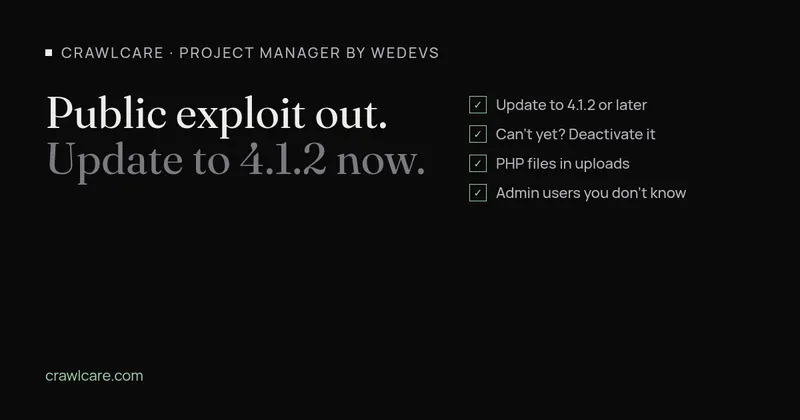
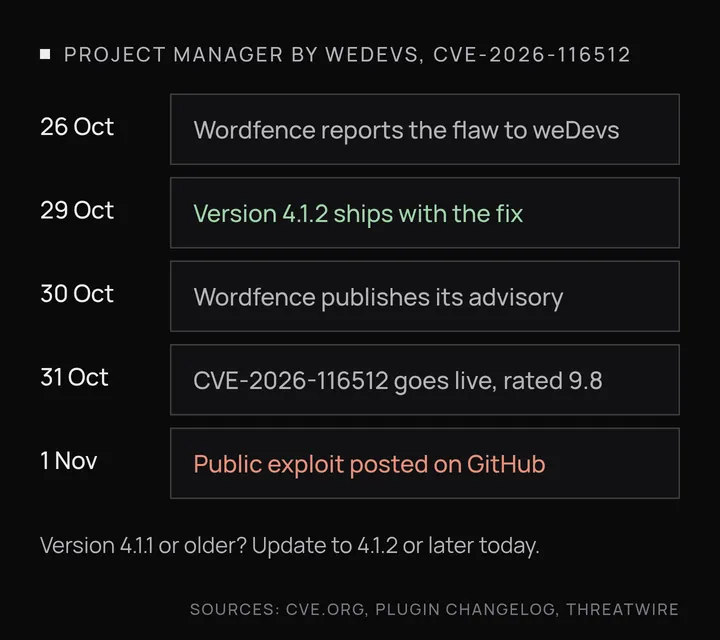
If you run the Project Manager plugin by weDevs (slug wedevs-project-manager), update it to 4.1.2 today. Versions up to and including 4.1.1 have an unauthenticated remote code execution bug, tracked as CVE-2026-116512 and rated 9.8 out of 10 by Wordfence. The fix shipped on 29 October 2026. On 1 November a working exploit went up on GitHub, and it's built for mass use: it drops a webshell on any site still on 4.1.1 or older that it finds.
The plugin's full name on WordPress.org is "Project Manager – AI Powered Project Management, Task Management, Kanban Board & Time Tracker", with more than 5,000 active installs. The attack needs no special settings: an active copy of the plugin on a live site is enough to put it at risk.
Why a logged-out visitor can run code
The bug is in the plugin's REST API. The id parameter from the request gets pasted into a validation rule string, and the plugin then calls each piece of that string as a PHP function, with no list of allowed functions. So whoever controls id controls which PHP functions run.
The plugin does have a permission check. It just never gets a say, because WordPress runs a REST route's validation step first, so the injected functions run before anyone is asked to log in.
At the time of writing, CISA hasn't added this CVE to its Known Exploited Vulnerabilities list, and NVD, GitHub and weDevs don't report attacks in the wild. With a ready-made tool public, automated scanning usually follows, so I wouldn't wait for those lists to catch up.
What to do now
- Go to Plugins in wp-admin and update Project Manager to 4.1.2 or later. If auto-updates are on, confirm the version number yourself.
- If you can't update yet, deactivate or delete the plugin until you can. Your project data sits in the database and should still be there when you reactivate, but take a backup first.
- Look for PHP files you didn't put there, starting with
wp-content/uploads, which should hold images and documents, not.phpfiles. Then check the plugin folders. - Open Users and filter by Administrator. Any admin account you don't recognise is a bad sign.
- In your access logs, look for odd REST requests to the plugin's
pm/v2routes, especially from before you updated.
If you find something
Treat the site as compromised. Updating closes the hole but doesn't remove a webshell that's already in place. The clean route is to restore from a backup taken before the attack, update the plugin on the restored copy, and then change your WordPress admin passwords, your database password and the WordPress salts in wp-config.php. If you don't have a clean backup, the site needs a proper cleanup: every file compared against known-good copies of core, themes and plugins, and the database checked for injected content and rogue users.
Not sure if your site is affected?
If you don't know which plugins your site runs, or you'd like a second pair of eyes on it, run a free CrawlCare scan or get in touch for a chat. We'll tell you what we find before anything else happens.
Source: ThreatWire, 2 Nov 2026
Further reading
- Chrome says your WordPress sitemap uses XSLT. Your SEO is fine.
- Gravity Forms 3.1.2 flaw (CVE-2026-103039): how to check your site and fix it
- WordPress plugin closed on wordpress.org? What to do now
- Free website malware checks compared: CrawlCare, Sucuri SiteCheck, VirusTotal
- WordPress 7.1.4: what it means for your site
- Prime Mover CVE-2026-115806: check your version
- Duplicator CVE-2026-82814: are you affected?
- Google says "This site may be hacked": what it means and how to clear it
- LiteSpeed Cache 7.9.2: check for CVE-2026-113499 and friends
- Is my PHP version end of life? How to upgrade WordPress
- PHP2Shell: what PHP's emergency release means for your site
- Core Web Vitals assessment failed: what it means and how to pass
- UpdraftCentral hack: is your WordPress site affected?
- Rank Math PRO 3.0.123, Backuply and Everest Backup: is your site affected?
- AIOSEO and Bricksforge security updates: is your site affected?
- Why is my website slow?
- How to fix Core Web Vitals
- Why isn't my site showing on Google?
- How to check your website SEO for free: a 10-minute checklist
- Is your site slow because of the code or the distance? Hosting for South African sites
- Is my WordPress site hacked? A step-by-step check
- How to remove malware from a WordPress site (step by step)
- The UpdraftPlus hack: what to check on your WordPress site now
- php2shell: CISA says the PHP flaws are being exploited. Three checks for your site