Is your vet website still on Universal Analytics or an old cache plugin?
Published 3 Nov 2026
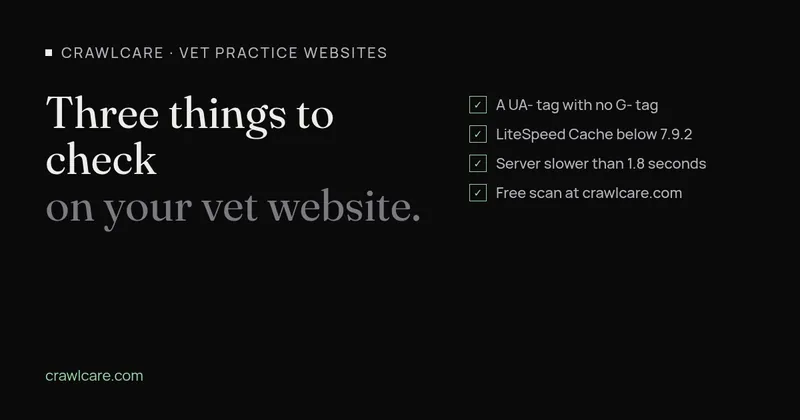
We recently looked at 32 independent vet practice websites in Norfolk and north Suffolk. We only read public pages and logged in nowhere. 17 of the 32 run on WordPress, and three problems kept turning up. The checks below work the same for practice sites in the US.
Universal Analytics tags that record nothing
One practice site still carries a Universal Analytics tag (an ID that starts with UA-) and no Google Analytics 4 tag at all.
Google stopped processing data for standard Universal Analytics properties on 1 July 2023. Paid 360 properties got an extension to 1 July 2024. From the week of 1 July 2024, Google removed access to all Universal Analytics data, current and historical.
A site with only a UA- tag is still loading that code in every visitor's browser, but the property it reports to no longer exists. Anyone at the practice who opens Google Analytics will find an empty account, or a GA4 property with no data in it.
If Google created a GA4 property for you automatically in 2023, it may reuse your old UA tag to collect data. Google says it keeps doing that after the UA property is deleted, but only while the UA tag stays on the site. In that setup, add a Google tag (an ID starting with G-) before you remove the UA code.
LiteSpeed Cache below 7.9.2
Another site runs LiteSpeed Cache 7.9.1. Version 7.9.2 came out on 19 October 2026 and fixed three security bugs (our LiteSpeed Cache 7.9.2 post has the detail):
- CVE-2026-113499 and CVE-2026-113500 are cross-site scripting bugs. A visitor without an account can get a script to run in the browser of anyone who views the page, logged-in administrators included. That only works under certain settings: published comments, a theme that prints comment author names without escaping them, and particular CDN mapping or font display options. WPScan rates CVE-2026-113499 at 7.5 (high).
- CVE-2026-113501 is a missing authorisation check. Anyone with a Subscriber account can dismiss the plugin's admin notices. LiteSpeed says it gives no access to site data.
LiteSpeed's advice is to update to 7.9.2 or later. If you can't update straight away, switch on comment moderation. WPScan plans to publish proof-of-concept code on 22 November 2026. Sites still on older versions will be more at risk once that code is public.
The 7.9.2 changelog lists a lot more hardening work as well: cache isolation, presets, object cache and the crawler. At the time of writing, 7.9.2 is the current release on WordPress.org.
Slow TTFB
Time to First Byte (TTFB) measures how long the server takes to start sending the page. Google's web.dev guidance calls 0.8 seconds or less good, and anything over 1.8 seconds poor.
On 10 of the 32 practice websites in our check, the server took longer than 2.5 seconds to start sending the homepage. The slowest took 7.8 seconds. Every other part of the page load waits behind that number, so a slow TTFB can't be fixed with smaller images alone. The usual causes are page caching that's off or broken, cheap shared hosting, or an old PHP and WordPress stack.
Most people land on a vet practice homepage looking for the phone number, opening hours or the out-of-hours line, often on a phone with a weak signal.
Check your own site
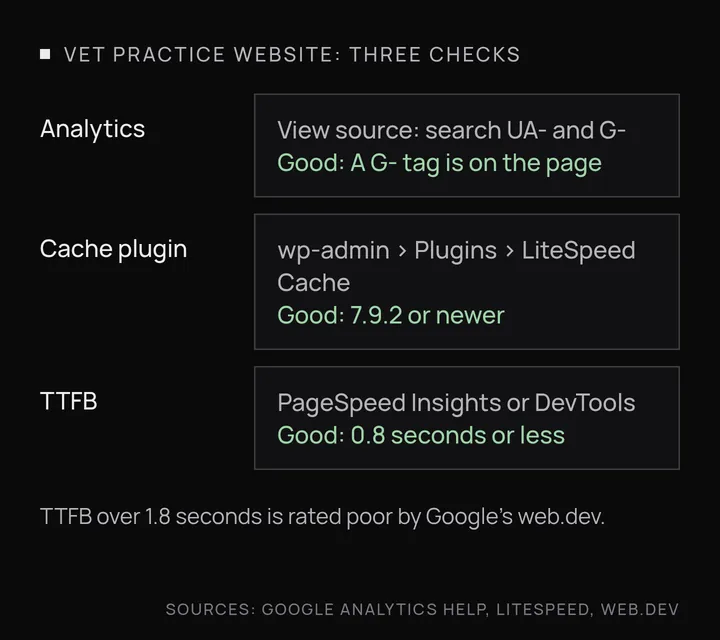
- Analytics tag. Open your homepage, right-click and choose View Page Source. Search (Ctrl+F or Cmd+F) for
UA-and thenG-. A UA- ID with no G- ID means you're collecting nothing. - Cache plugin version. In wp-admin, go to Plugins and find LiteSpeed Cache. If the version is below 7.9.2, update it. While you're there, check Dashboard > Updates for anything else that's waiting.
- TTFB. Run your homepage through PageSpeed Insights (pagespeed.web.dev). If Google has enough real-visitor data, TTFB shows in the field data section at the top. You can also open Chrome DevTools, go to the Network tab, reload, and click the first request to see "Waiting for server response". Repeat it a few times. Under 0.8 seconds is good. Over 1.8 seconds needs attention.
If you'd like a second opinion
If any of these turn up on your site, or you'd rather not dig through page source yourself, we can run a free scan and send you what we find. Or get in touch for a chat about your practice's WordPress site.
For more on running a practice site, see WordPress for vet practices.
Further reading
- Chrome says your WordPress sitemap uses XSLT. Your SEO is fine.
- Gravity Forms 3.1.2 flaw (CVE-2026-103039): how to check your site and fix it
- WordPress plugin closed on wordpress.org? What to do now
- Free website malware checks compared: CrawlCare, Sucuri SiteCheck, VirusTotal
- WordPress 7.1.4: what it means for your site
- Prime Mover CVE-2026-115806: check your version
- Duplicator CVE-2026-82814: are you affected?
- Google says "This site may be hacked": what it means and how to clear it
- LiteSpeed Cache 7.9.2: check for CVE-2026-113499 and friends
- Is my PHP version end of life? How to upgrade WordPress
- PHP2Shell: what PHP's emergency release means for your site
- Core Web Vitals assessment failed: what it means and how to pass
- UpdraftCentral hack: is your WordPress site affected?
- Rank Math PRO 3.0.123, Backuply and Everest Backup: is your site affected?
- AIOSEO and Bricksforge security updates: is your site affected?
- Why is my website slow?
- How to fix Core Web Vitals
- Why isn't my site showing on Google?
- How to check your website SEO for free: a 10-minute checklist
- Is your site slow because of the code or the distance? Hosting for South African sites
- Is my WordPress site hacked? A step-by-step check
- How to remove malware from a WordPress site (step by step)
- The UpdraftPlus hack: what to check on your WordPress site now
- php2shell: CISA says the PHP flaws are being exploited. Three checks for your site
- Project Manager by weDevs: patch to 4.1.2 now, there's a public exploit